Start with the work to perform
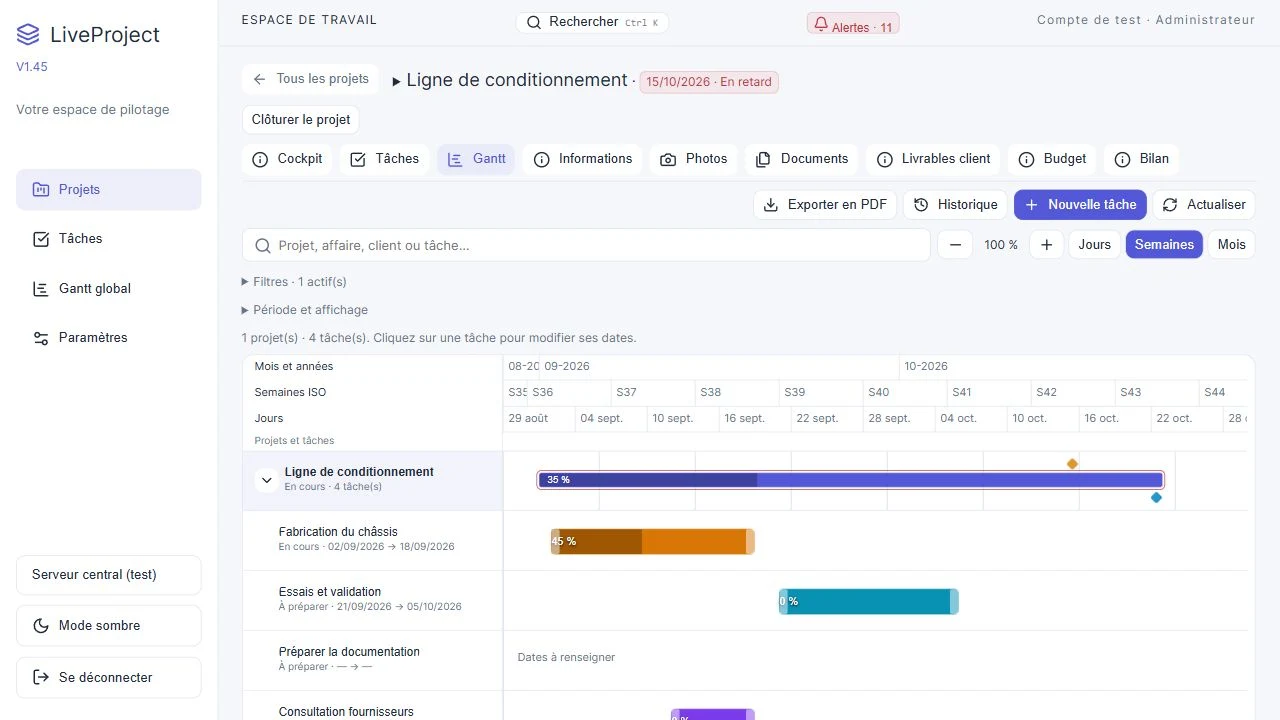
A Gantt chart places tasks on a time axis. Start by defining operations, owners and expected deliveries. A bar on a calendar does not by itself describe the conditions required to start work.
Check working days and dependencies
Use the working calendar configured in LiveProject, including working days and public holidays. Link dependent tasks, then check the resulting dates. Distinguish working duration from elapsed calendar time, particularly for transport and supplier waits.
Fictional worked example
For a fictional fixture, plan file preparation, material purchasing, manufacturing and inspection. Manufacturing depends on material availability; inspection depends on manufacturing. If the supplier delivery changes, review linked tasks and the final deadline before confirming the revised schedule.
Adjust dates and durations in the Gantt and consult schedule history for recorded changes. The global view brings projects together; this does not imply automatic workshop workload or capacity calculation.
Share a readable PDF schedule
Before exporting, choose the scale and detail level needed by the recipient. The PDF preview lets you check pagination and readability. Open the final file: the shared document reflects the schedule at export time.
What to check
- Check the calendar, dependencies and delivery dates.
- Review the PDF and identify changes to explain to the recipient.