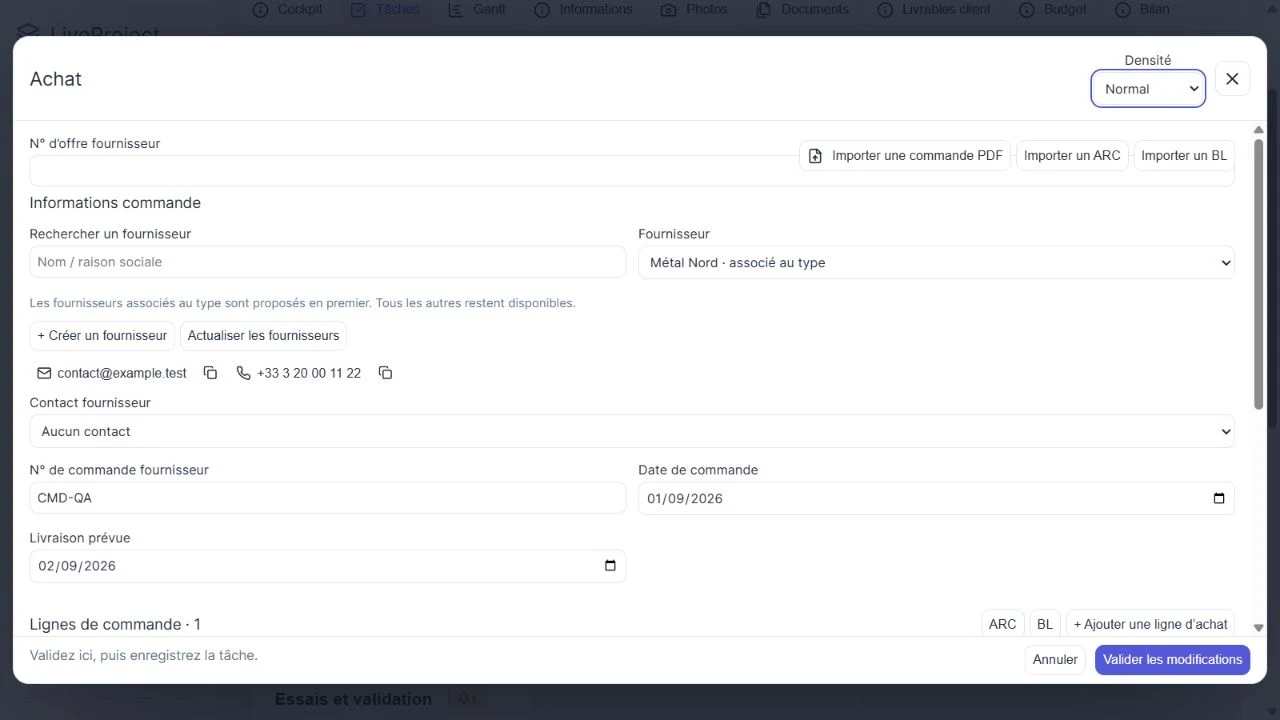
Link the purchase to the relevant work
Purchase tracking should identify the supplier, order lines, quantities and documents. LiveProject purchasing is enabled through configuration. Enquiries retain multiple offers and attachments before purchase preparation.
Import an order, then validate the data
Importing a text-based PDF suggests prefilled values. Check supplier, references, units, quantities and prices. Missing information must be completed or left identified as missing; scans and complex tables may need manual entry.
Distinguish acknowledgement from receipt
An order acknowledgement is the supplier’s confirmation; a delivery note accompanies a shipment. Importing these files retains the originals and does not automatically validate lines. Confirm acknowledgements and record receipts manually with actual quantities and dates.
Fictional worked example
A fictional order contains 50 identical blanks. At the first delivery, count 20 and record the receipt: 30 remain expected. At the second, record the remaining 30 after checking. The first delivery note must not result in all 50 being marked received.
This example covers one line and one unit. Do not add metres, kilograms and pieces to calculate a receipt rate. If material is still missing, examine the impact on upcoming Gantt tasks.
| Stage | Received to date | Still expected |
|---|---|---|
| First delivery | 20 | 30 |
| Second delivery | 50 | 0 |
What to check
- Check units and record quantities actually received.
- Keep originals and distinguish orders, acknowledgements, delivery notes and validated receipts.