Define the project scope
Project tracking connects the request, the work to perform and the expected delivery. First identify the customer, reference, owners and target date. Gather the initial documents so that management is based on more than a task list.
Break down work and attach evidence
In LiveProject, create tasks with their type, status, deadline and participants. Attach documents and photos to the relevant project or task. List and Kanban views support operational tracking; the Gantt provides the timeline.
Fictional worked example
A fictional project involves delivering a fixture. Organise it into preparation, procurement, manufacturing and inspection. Attach the drawing to preparation, the supplier order to purchasing and the inspection document to the relevant deliverable.
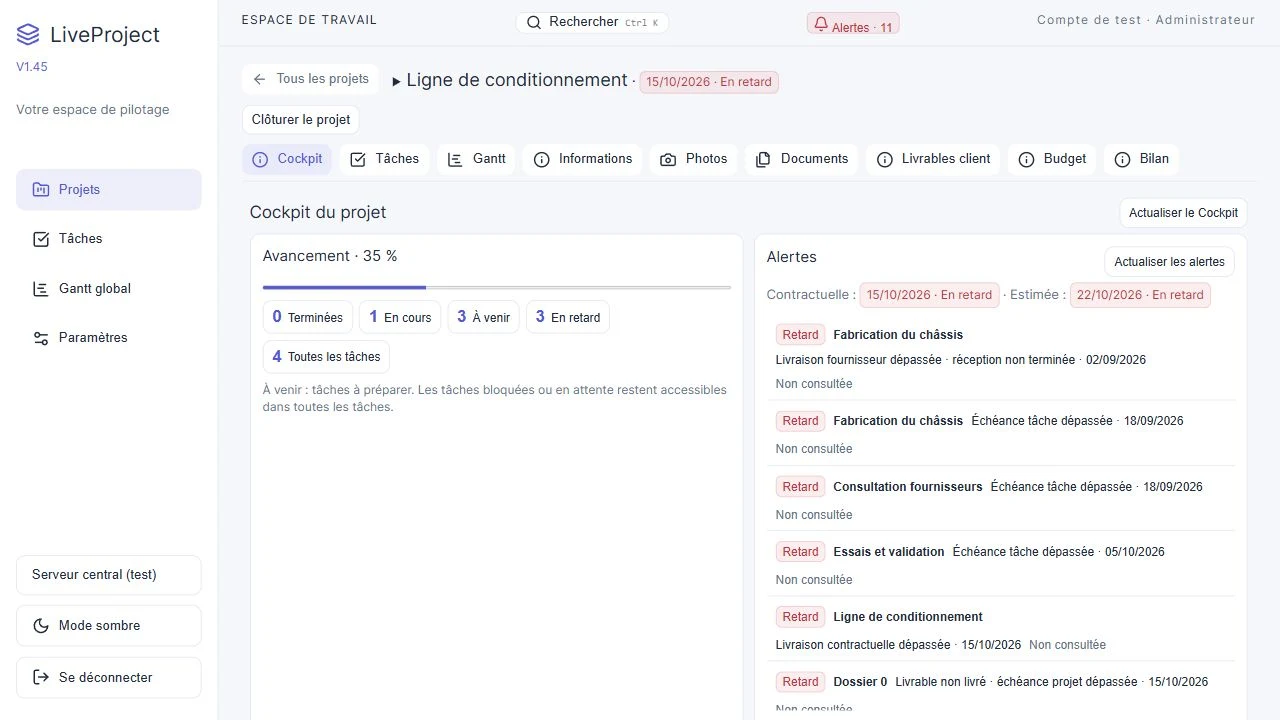
During a review, the cockpit shows a partly received purchase and a deliverable still to prepare. Open the relevant items to understand what is missing before adjusting the work. A progress percentage alone does not establish delivery readiness.
Prepare a review, then closure
Review open tasks, alerts, receipts and budget. At closure, check deliverables and financial items. LiveProject retains the explanation for reservations; a closed project is distinct from one with every item completed.
What to check
- Assign an owner and deadline to the next actions.
- Keep documents in context and review missing data before the meeting.