Define a consistent financial scope
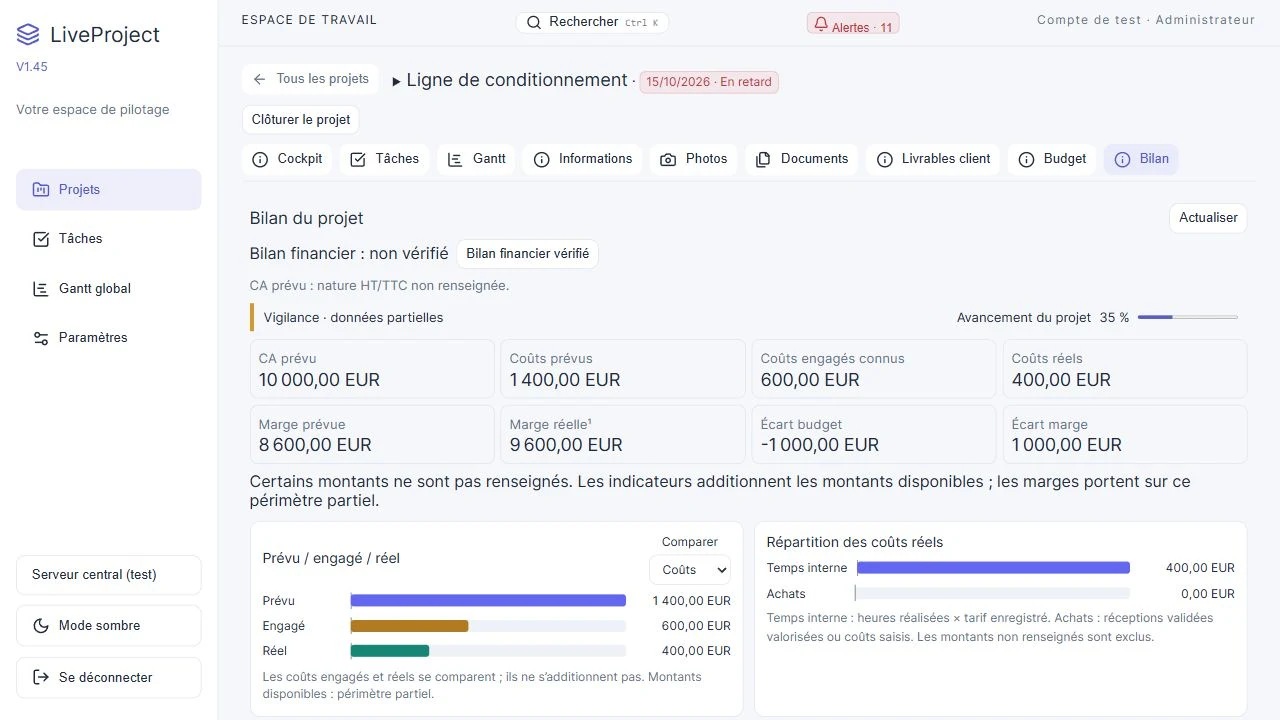
Project budget tracking compares planned revenue with recorded costs. Start with currency, hourly rates and customer amounts. Compare amounts on the same basis, especially excluding or including tax, and identify expenses still missing.
Separate planned, committed and available actual costs
Planned costs provide the reference. Commitments and available actual costs show how the project develops. Review time, purchasing, subcontracting and other expenses: a low total may reflect missing data rather than savings.
Fictional worked example
Take a fictional project with €10,000 planned revenue excluding tax. With 40 hours at €50, €3,000 purchasing and €1,000 subcontracting, planned costs total €6,000. The difference from planned revenue is €4,000, or 40% of that revenue.
This illustration is neither net profit nor realised accounting margin: it includes only the listed items and planned revenue. Review the data and displayed scope in your own file before making decisions.
| Item | Amount excluding tax |
|---|---|
| Internal time: 40 h at €50 | 2 000 € |
| Purchasing | 3 000 € |
| Subcontracting | 1 000 € |
| Planned total | 6 000 € |
Understand purchase valuation and charts
LiveProject values validated receipts at the recorded order price; these are not reconciled supplier invoices. Charts use costs with usable dates. An undated cost may appear in the total without appearing on the chart.
What to check
- Review missing data and margin scope before comparing projects.
- Verify the financial summary before closure and retain any reservations.